Every delivery gets a signed slip, and every customer gets a form
Eight parts on getting proof of delivery with Springpoint mobile paperwork, printing and scanning slips when you can't get online, and getting customer and vendor information to the right person so jobs can be invoiced. Work through the parts in order: two quick checks at the end confirm you've got it. Your progress saves on this device.
A signed delivery slip is how we get paid
A customer recently asked for proof of delivery before paying an invoice. The only paper they had was the vendor's packing slip, and it showed what we paid for the pump. They paid in full anyway, but customers should never see our cost or our markup.
- Why the customer had nothing: Springpoint emails the signed delivery slip to the email on the customer's profile in Motorbase. If that address is wrong, nobody gets the proof of delivery.
- Why billing needs it: when a customer says "we're not paying until we see proof of delivery," a signed slip in the job attachments ends the conversation. Without one, it's very hard to prove the delivery happened.
- The fix: outside and inside sales should go through their customers together and make sure each one has a current email on file.
In the recording: why we're doing this from about 0:04.
No customer form, no email, no invoice
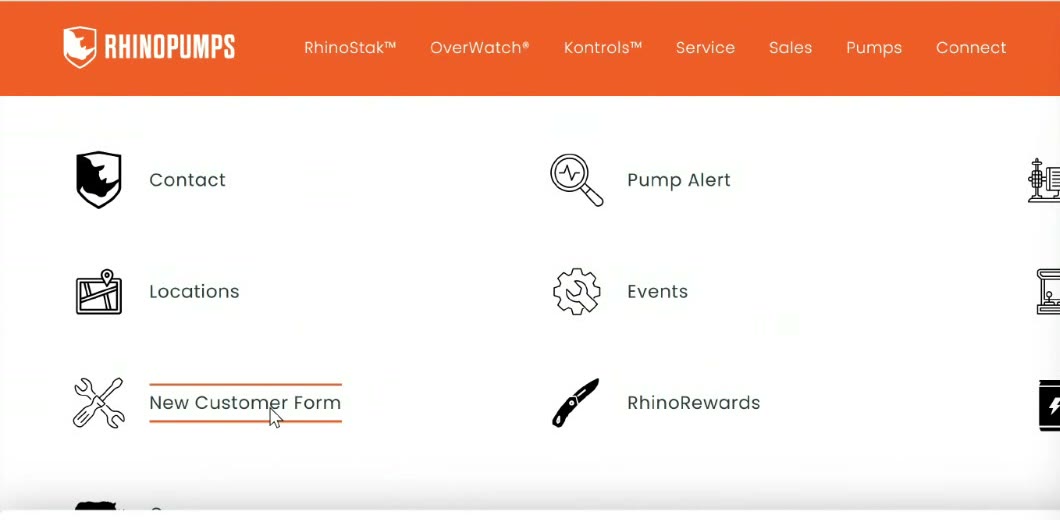
Billing can't send an invoice without a contact. Jobs have sat for over a month with a pump on order and nothing on file but the company name: no address, no phone, no email and no tax paperwork. Every new customer fills out the New Customer Form on our website before we invoice them.
What the form has to capture
Who enters what
- Outside sales puts the customer contact in HubSpot.
- Inside sales can add a new customer's name in Motorbase to start a quote or job.
- Billing (AR) fills in the rest of the customer's Motorbase record once the form comes back.
- Billing keeps a list of customers whose forms haven't come back, and will ask the salesperson to follow up.
In the recording: customer information from about 2:10, the website form 5:40.
One web login for clock-ins, photos and paperwork
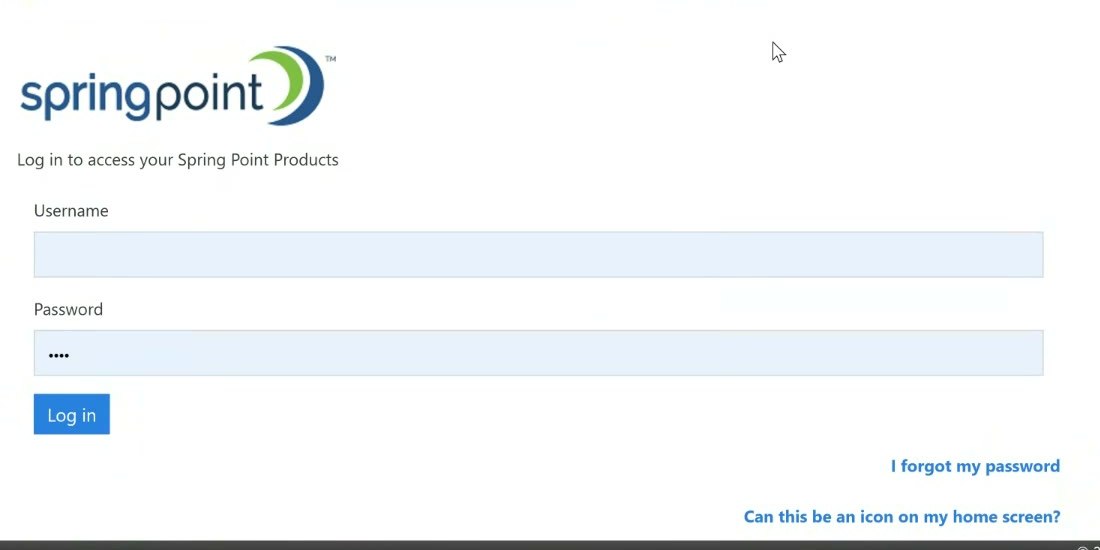
Springpoint is the web side of Motorbase. Hourly employees clock in there, the shop uploads repair photos and forms to jobs, and you use it for mobile paperwork. You can also pull up a job's photos to show a customer.
Put it on your phone's home screen
- Open rhino.sps-west.com in Chrome or Safari on your phone.
- Tap the Share icon next to the address.
- Scroll the options (tap View more if you need to) and choose Add to Home Screen.
Do the same for the Rhino employee portal. It shows your benefits: your boot allowance and when you can get new boots, supplemental insurance contributions, and whether you're enrolled in an HSA.
In the recording: Springpoint and logging in from about 7:35, passwords 32:45, adding it to your home screen 34:30, the portal 35:30.
Get the delivery slip signed on your phone
This is the easy way, and it's the one billing wants you to use. The customer signs with a finger, gets a copy by email, and the signed slip saves straight to the job's attachments in Motorbase, so nobody has to scan anything.
- Open Mobile Paperwork from the menu at the top of Springpoint.
- Choose Jobs and type the job number, then pick it from the list. A quote number (like FQ2205) won't work; the quote has to be turned into a job first.
- Tap Delivery Slip. You'll see the slip for that job.
- Tap Sign and hand the phone over. The customer signs with a finger and can type their name.
- Check the email. The copy goes to the email on the customer's Motorbase profile. If you aren't sure it's current, type the right address in Email Recipients.
- Tap Process. The customer gets their copy, and the signed slip lands in the job's attachments.
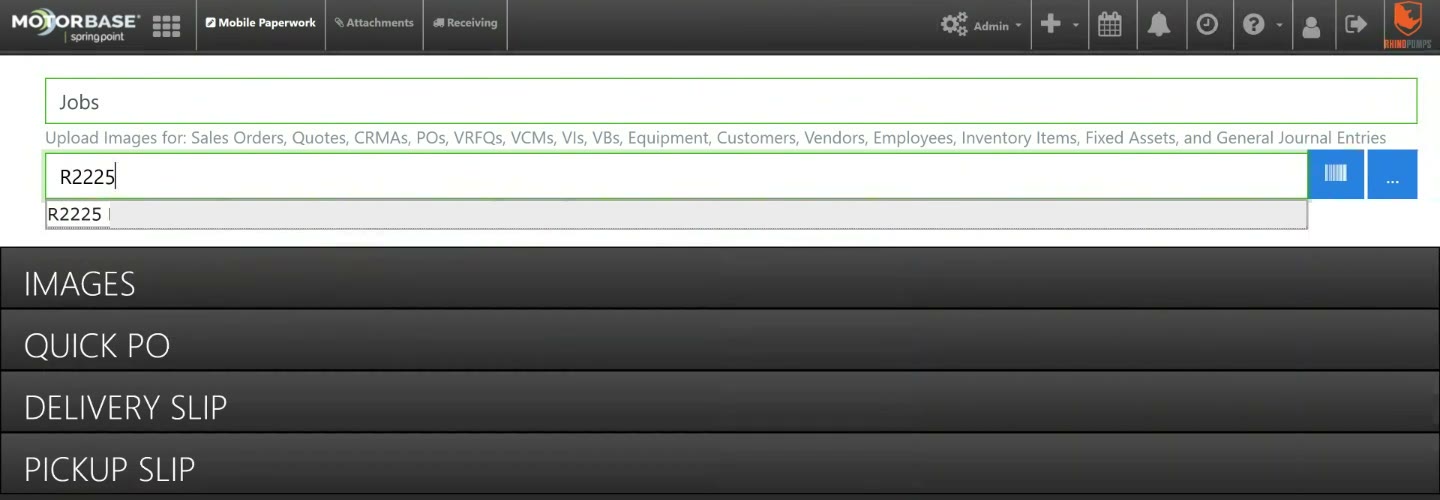
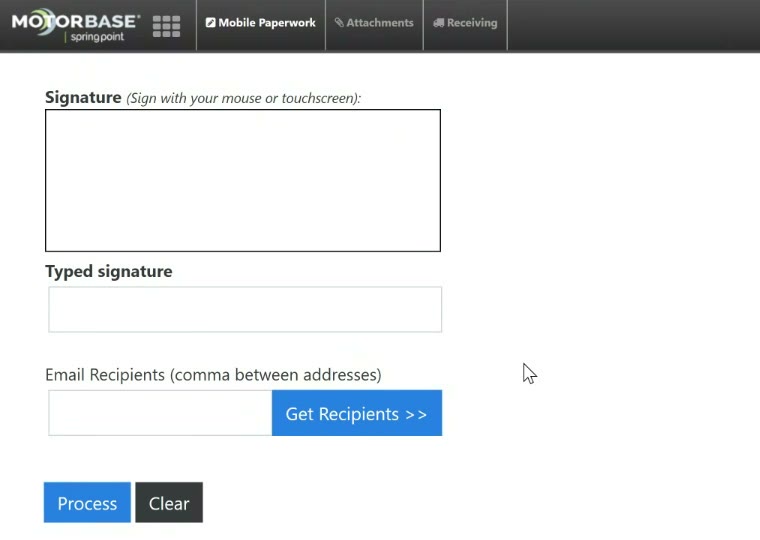
In the recording: mobile paperwork from about 11:10, the delivery slip and signing 13:35, where the signed slip lands in Motorbase 14:40.
Paper slips for mines, plants and dead zones
Some sites have no internet, such as mines and some plants. For those, inside sales prints the delivery slip from the job in Motorbase before you go.
Printing a delivery slip (inside sales)
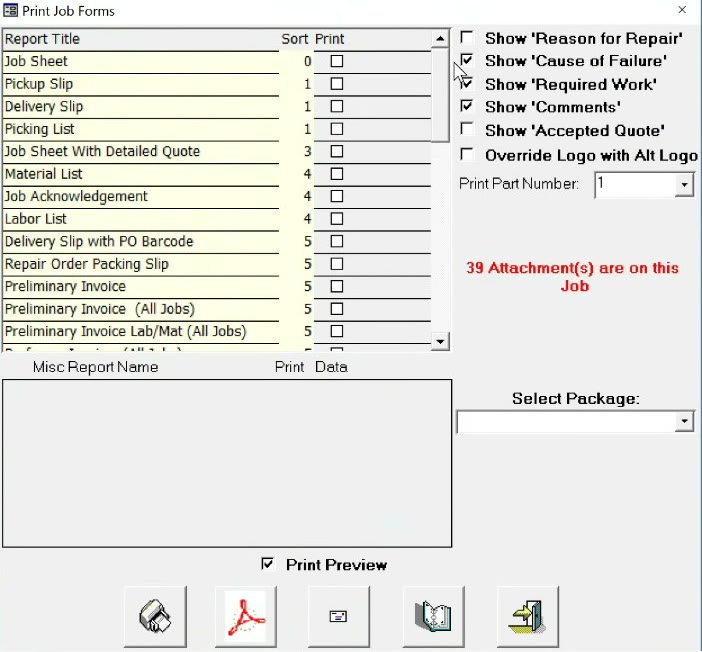
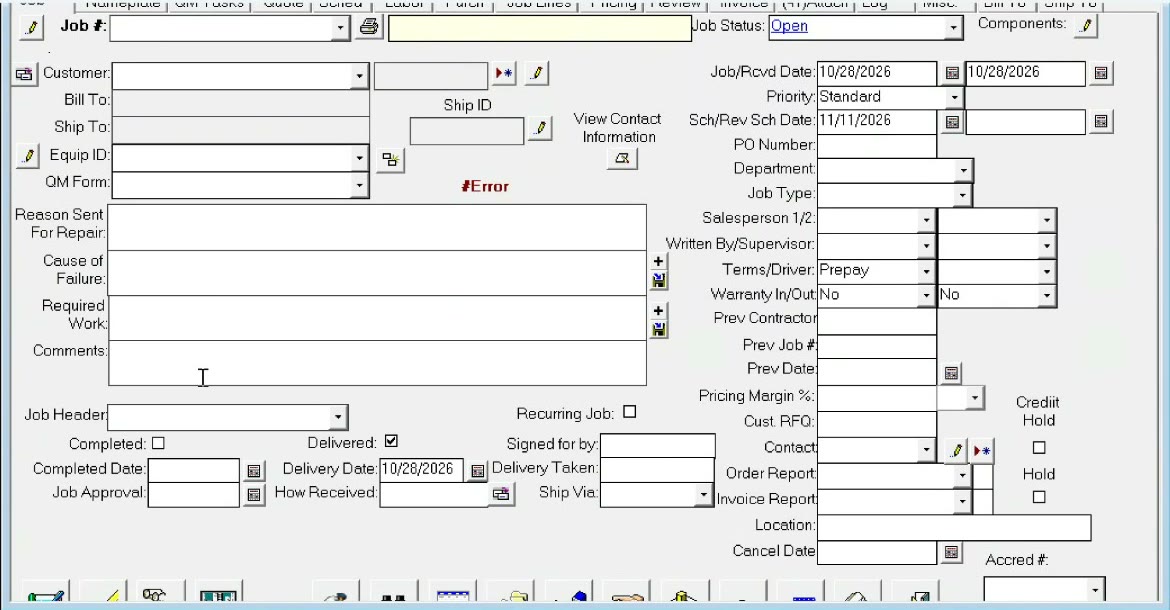
- Open the job's main page in Motorbase and click the print button.
- In Print Job Forms, choose Delivery Slip and print it.
- Print two copies. The customer signs and dates one for us and keeps the other.
Getting the signed copy into the job
Partial deliveries
The slip prints the job's Required Work and Comments (you choose which with the Show checkboxes in Print Job Forms). For a partial delivery, inside sales edits Required Work to say exactly what's going, for example "Qty 1 mechanical seal" when two were ordered. Or write "1 of 2" on the printed slip by hand.
In the recording: offline deliveries from about 16:35, printing a slip 18:15, scanning and attaching 19:05, partial deliveries 21:40.
Vendors go to AP, customers go to AR
Vendor and customer applications keep getting mixed up. If a vendor gets set up as a customer, inside sales can't order from them. Ask yourself: are we buying from them, or selling to them?
| You have | It goes to | What happens |
|---|---|---|
| A new company we want to buy from | AP (accounts payable) | AP fills out the vendor application and creates the vendor in Motorbase. |
| A PO for new equipment | AP, copied on your email to the vendor | AP tracks every new-equipment PO and its ship date. Ask AP when a customer's equipment will ship. |
| A PO for a repair | Repair purchasing | Repair POs are tracked separately from new equipment. |
| A new customer | AR (billing) | The customer fills out the New Customer Form, and billing sets them up in Motorbase. |
- Copy AP on every new-equipment order, not just orders from new vendors. Billing needs those ship dates too, to invoice progress payments correctly.
- Customer portals: some customers make us register in their own vendor portals. Inside sales at that location helps billing with them.
- Quote to job: new inside sales staff, if billing calls because a quote needs to become a job, they'll walk you through it. Any experienced inside salesperson can help too.
Remote shops: mechanics deliver too
At locations where a mechanic drops off the equipment, the mechanic needs mobile paperwork. Every shop has a business-only phone with a managed set of apps (Springpoint, Motorbase, Gmail). Set Springpoint up on it, and train the mechanics to use it for clock-ins and delivery slips.
In the recording: quotes to jobs from about 24:05, AP vs. AR 25:15, vendor vs. customer applications 29:15, shop phones and mechanics 30:25.
What do you do?
Eight real situations. Pick the right move. Score 6 or more to pass.
Ten questions to finish
Score 8 or more to pass.
Watch the full session recording37 minutes · the session this training is based on (rhinopumps.com sign-in)
Built from the session recording, its meeting notes and transcript, and the screens shown in the session. Chapter times are approximate. Customer and job details shown in the session are left off this page.